
Screen Readers at Work: How South African Employers Can Make Digital Systems Accessible
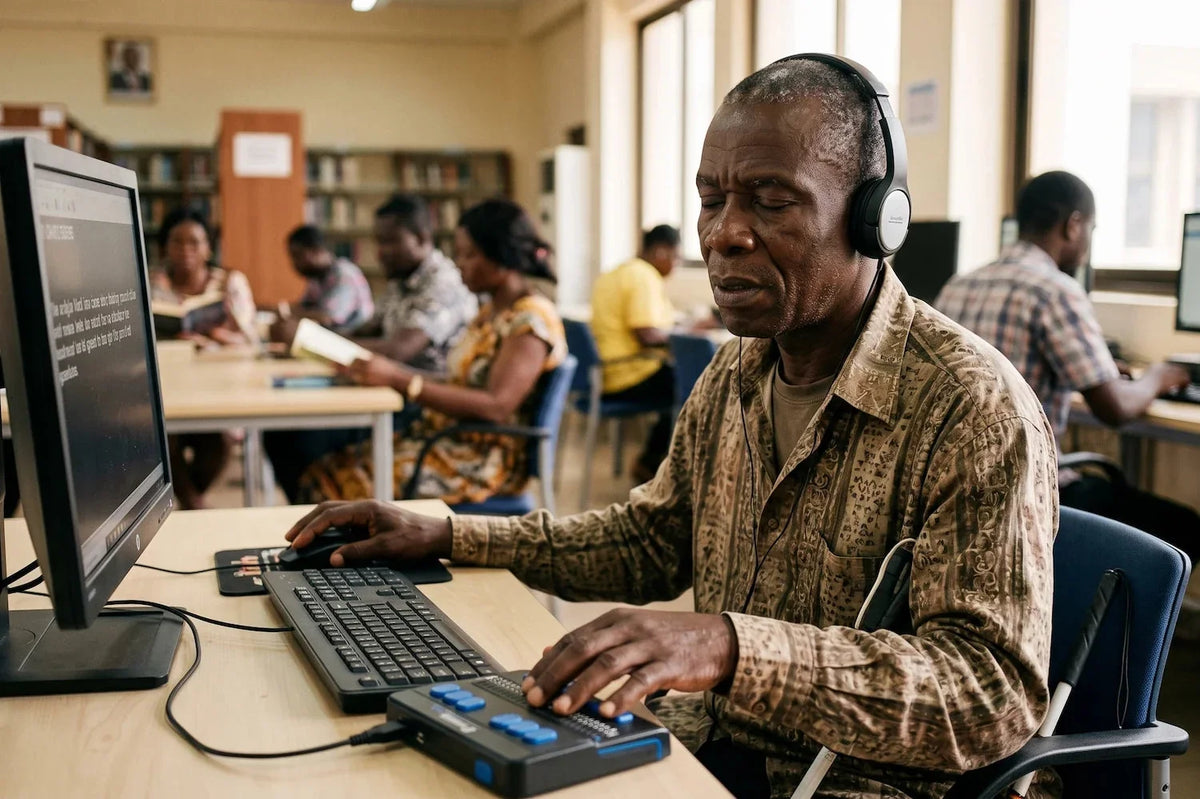
South African workplaces are becoming increasingly digital. Employees now rely on online recruitment systems, HR portals, Microsoft Office, payroll software, customer relationship management (CRM) platforms and collaboration tools to perform their daily work.
But for employees who are blind or visually impaired, these systems are only useful if they are digitally accessible.
A website that cannot be navigated with a keyboard, a PDF that cannot be read by a screen reader or software with unlabelled buttons creates unnecessary barriers to employment.
What Is a Screen Reader?
A screen reader is software that converts digital information into speech or braille output, allowing people who are blind or visually impaired to independently use computers, websites, smartphones and workplace software.
Instead of relying on visual information, users navigate using keyboard commands while the screen reader announces: Headings, Buttons, Menus, Links, Tables, Forms, Notifications, Documents
When digital systems are designed correctly, employees using screen readers can complete almost every workplace task independently.
Why Digital Accessibility Matters Beyond Compliance
Many organisations view accessibility as something they should consider only after hiring a person with a disability.
The reality is very different.
Digital accessibility should be built into workplace systems from the start.
Accessible digital systems benefit:
- Employees who are blind or visually impaired
- Staff with temporary injuries
- Employees with learning disabilities
- Older employees
- Remote workers
An accessible organisation experiences:
- Higher productivity
- Better employee engagement
- Reduced support requests
- Stronger innovation
- Improved customer experience
- Enhanced corporate reputation
Workplace Accessibility Is Everyone's Responsibility
Creating workplace accessibility extends beyond installing ramps or providing accessible parking.Today's workplaces depend heavily on technology, meaning accessibility must also include digital systems.
Departments that play a critical role include:
Human Resources
- HR teams should ensure:
- Online recruitment systems are accessible.
- Application forms work with screen readers.
- Employment policies are available in accessible formats.
- Digital onboarding materials are compatible with assistive technology.
Information Technology
- IT departments should:
- Test software with screen readers.
- Procure accessible technologies.
- Ensure software updates do not introduce accessibility barriers.
- Provide accessible technical support.
Managers
Managers should:
- Understand reasonable accommodation.
- Remove unnecessary workplace barriers.
- Encourage inclusive communication.
- Focus on employee capability rather than disability.
Understanding Reasonable Accommodation Under South African Law
South African employers have a legal responsibility to provide reasonable accommodation for employees with disabilities.Reasonable accommodation involves making appropriate adjustments that enable an employee to perform the essential functions of their job without imposing unjustifiable hardship on the employer.
Examples include:
- Installing screen reader software
- Providing accessible digital documents
- Supplying braille displays or braille keyboards where appropriate
- Adjusting workplace technology
- Modifying recruitment assessments
- Offering disability awareness training
- Making internal systems keyboard accessible
Therefore, reasonable accommodation is not about lowering performance expectations. It is about ensuring every employee has an equal opportunity to perform their role. Employers who proactively implement accessibility measures are better positioned to meet their Employment Equity obligations while fostering a more inclusive organisational culture.
NVDA vs JAWS: Which Screen Reader Is Right for Your Organisation?
Two of the world's most widely used screen readers are NVDA and JAWS.
Understanding the differences helps employers make informed procurement decisions.
NVDA (NonVisual Desktop Access)
NVDA is a free, open-source screen reader widely used in education, non-profit organisations and many workplaces
Advantages include:
- No licensing costs
- Regular updates
- Excellent support for Microsoft Office
- Strong web browsing capabilities
- Active global community
Best suited for: Schools, Universities, Government departments, SMEs, Organisations implementing accessibility on a budget
JAWS (Job Access With Speech)
JAWS is a commercial screen reader that has been widely adopted in corporate and enterprise environments.
Advantages include:
- Advanced customisation
- Extensive enterprise support
- Strong compatibility with specialised business software
- Long-established corporate use
Best suited for: Large enterprises, financial institutions, legal firms and organisations using specialised enterprise applications
Which One Should Employers Choose?
There is no universal answer.
The right solution depends on existing software, employee preferences, budget, technical support and Organisational requirements
The most effective approach is to involve the employee in the decision-making process and test software before implementation
Common Digital Accessibility Mistakes Employers Make
Many accessibility barriers are surprisingly easy to fix.
Common examples include:
- Image-only PDF documents
- Unlabelled buttons
- Poor heading structures
- Missing alternative text for images
- Colour-only instructions
- Mouse-only navigation
- Inaccessible online forms
- Complex spreadsheets without logical structure
Building an Accessible Workplace: A Practical Checklist
Employers should regularly ask:
- Can employees complete work using only a keyboard?
- Do our websites function properly with screen readers?
- Are internal documents accessible?
- Have HR staff received disability inclusion training?
- Have managers been trained on reasonable accommodation?
- Are accessibility requirements included when purchasing new software?
- Do we involve employees with disabilities when testing systems?
The Role of Assistive Technology in South African Workplaces
Technology continues to transform employment opportunities for people with visual impairments.
Today's workplace solutions include:
- Screen readers
- Refreshable braille displays
- Screen magnification software
- OCR document readers
- Accessible smartphones
- Talking calculators
- Portable scanners
- Digital note-taking devices
Choosing appropriate assistive devices in South Africa requires more than simply purchasing equipment. Successful implementation includes assessment, training, technical support and ongoing workplace integration.
Why Corporate Sensitivity Training Matters
Technology alone does not create an inclusive workplace.
Employees also need understanding, confidence and practical knowledge.
Corporate Sensitivity Training helps organisations
- Understand visual impairment
- Communicate respectfully
- Reduce unconscious bias
- Build inclusive workplace cultures
- Improve customer service
- Strengthen disability confidence among managers and teams
When accessibility is supported by awareness and empathy, organisations create environments where employees can contribute at their full potential.
How Med-Ezequiel Helps Employers Build Inclusive Workplaces
At Med-Ezequiel, we believe accessibility is about more than supplying technology.
We partner with organisations to create workplaces where people with disabilities can thrive through:
- Workplace accessibility assessments
- Corporate Sensitivity Training
- Assistive technology consultations
- Screen reader implementation guidance
- Disability inclusion workshops
- Digital accessibility awareness
- Ongoing technical support
- Advice on selecting appropriate assistive devices in South Africa
Our approach combines technology, education and practical implementation to help employers build sustainable, inclusive workplaces.
Frequently Asked Questions
What is a screen reader?
A screen reader is software that reads digital content aloud or sends it to a refreshable braille display, enabling people who are blind or visually impaired to use computers and smartphones independently.
Are employers required to provide reasonable accommodation?
Yes. South African employers should consider reasonable accommodation to remove barriers that prevent employees with disabilities from performing their essential job functions, in line with employment and equality obligations.
Is NVDA better than JAWS?
Both are excellent screen readers. The best choice depends on organisational needs, software compatibility, budget and the user's preferences.
Does digital accessibility only benefit employees with disabilities?
No. Accessible digital systems improve usability for all employees and often enhance productivity, efficiency and user experience across the organisation.
Final Thoughts
Digital transformation should never leave anyone behind.
By investing in digital accessibility, providing reasonable accommodation, improving workplace accessibility and supporting employees with trusted technologies such as NVDA and JAWS, South African employers can build more inclusive, productive and future-ready organisations.
Accessibility is not just about compliance it is about unlocking talent, fostering innovation and creating workplaces where every employee has the opportunity to succeed.
At Med-Ezequiel, we are committed to helping organisations turn accessibility into meaningful impact through expert guidance, Corporate Sensitivity Training and assistive technology solutions tailored to the South African workplace.


